$15 $22
Introductory Launch Pricing
MEOW included free · Coming soon
When MEOW launches, it will be emailed free to everyone who owns this plugin or the bundle.
Buy for Windows $15
macOS build: Audio Unit (AU) + VST3, 64-bit. Not compatible with Pro Tools — there is no AAX version.
Get the Full Bundle $55
Includes five plugins, with MEOW included free.
License key required — delivered by email after purchase.

200x
the gain of a conventional overdrive
Most overdrives top out around 20x gain. Sanctify's drive stage uses a two-range curve that accelerates past that into territory where the signal stops being amplified and starts being reshaped. The circuit doesn't clip - it transforms.
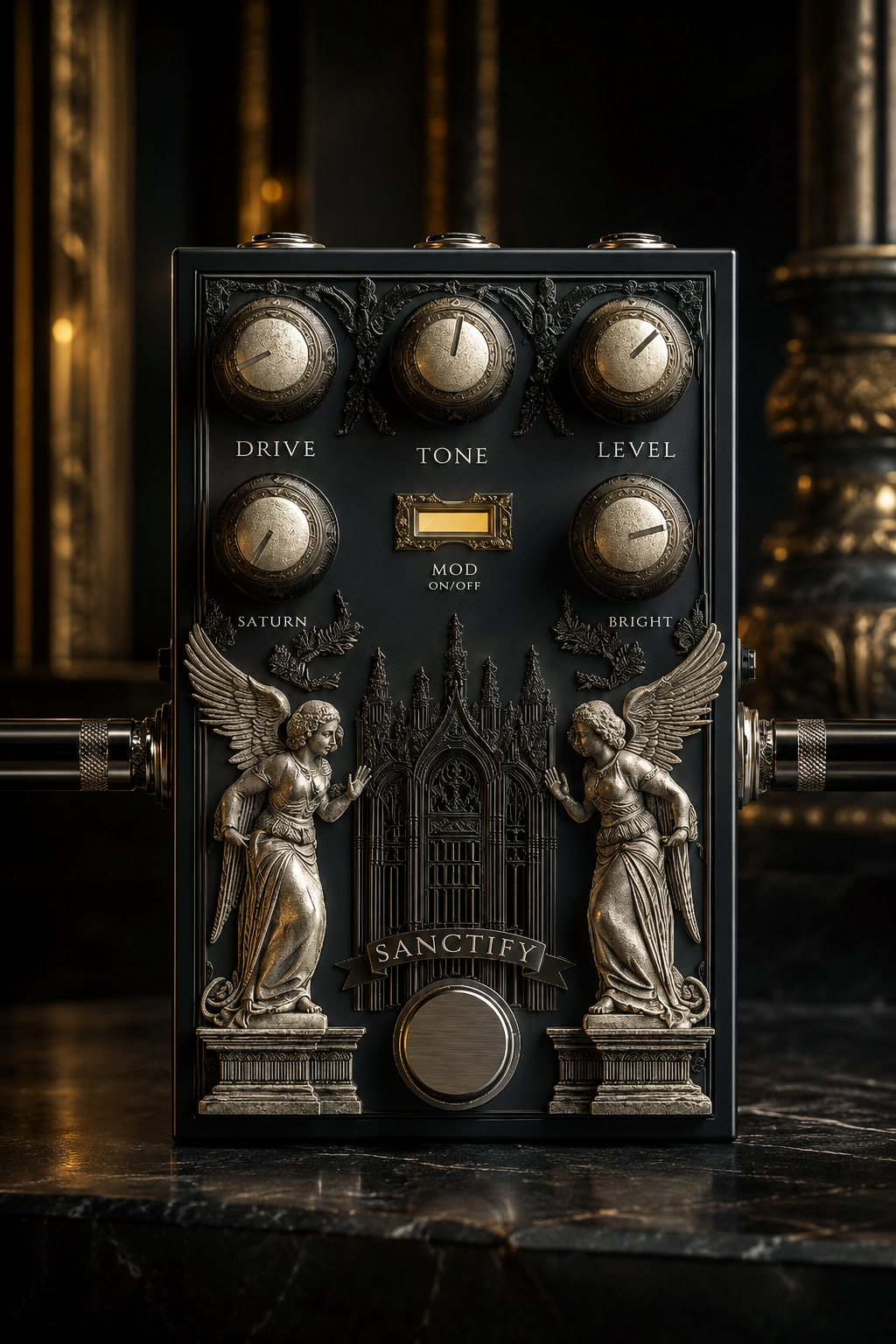
SANCTIFY plugin GUI
Mode One
808
808 mode
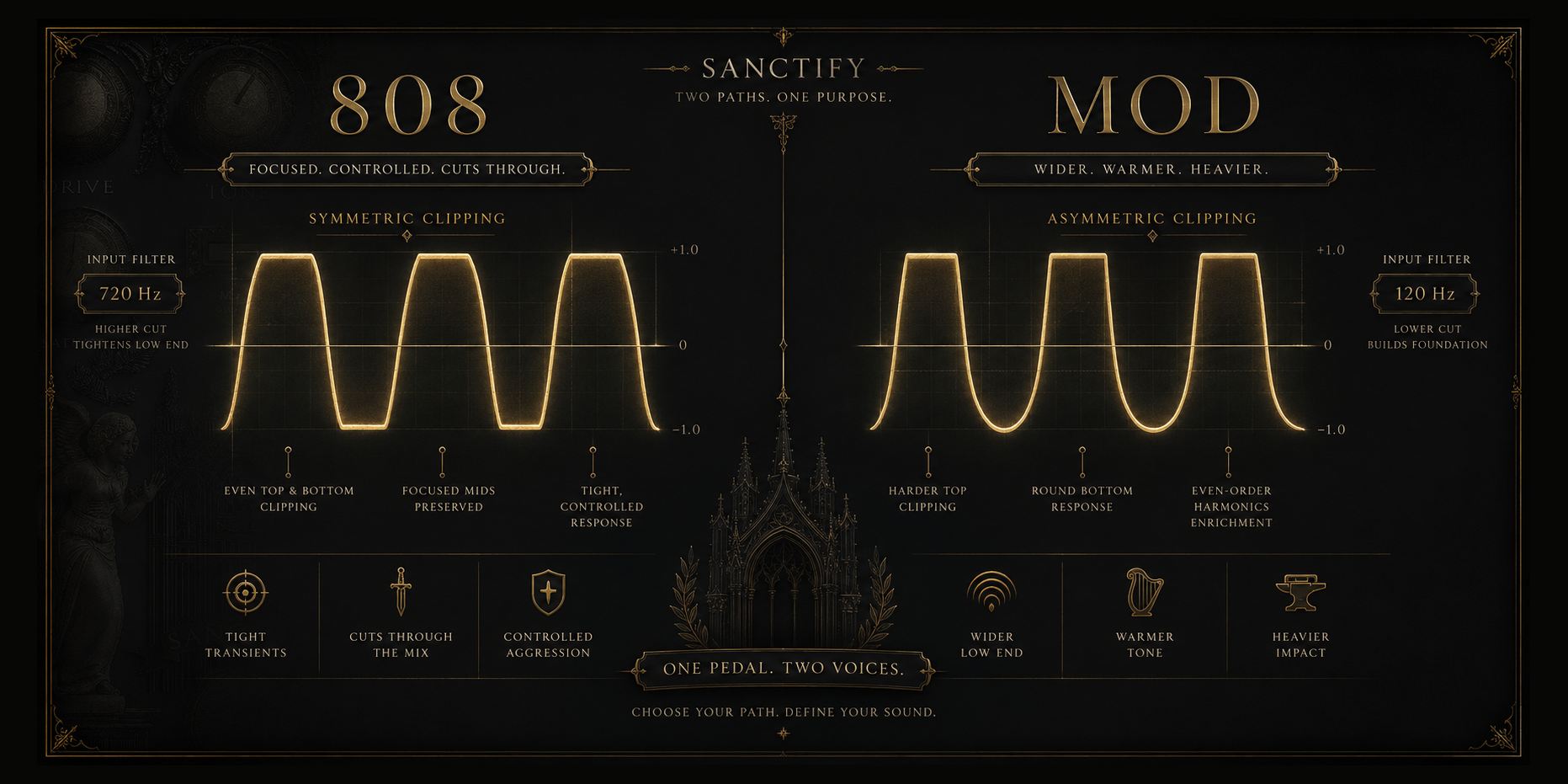
The original voice. Symmetric clipping that treats both halves of the waveform identically - what goes up comes down the same way. A 720 Hz input filter cuts the low end before the signal hits the drive stage, pushing everything through a narrow band where the mid-range lives. The result is focused, aggressive, and cuts through anything sitting around it.

Clean at dawn. Gritty by noon. Unrecognizable by midnight.
Mode Two
Mod
MOD mode
The other voice. Asymmetric clipping - the positive swing is cut short at 0.5 while the negative side gets more room at 0.7. That imbalance is the entire point. It generates even-order harmonics, the same physics that make tube amplifiers sound warm instead of harsh. The input filter drops to 120 Hz, letting the full low end through.

Everything 808 isn't. Wider. Warmer. Heavier.
SANCTIFY 808 vs Mod clipping modes
What it carries
Zero Latency
Zero Latency
Real-time processing with no added delay. Play through it live. Track through it. No compensation needed.
True Stereo
True Stereo
Independent left/right processing through separate filter instances. Or sum to mono with one toggle. Gate and restrain stay stereo-linked either way.
4x Oversampled
4x Oversampled
Drive and saturation run at 4x the host sample rate. Aliasing artifacts are eliminated before they reach the output. Clean harmonics, no digital harshness.
Noise Gate
Noise Gate
Input-triggered. Tracks your dry signal, not the distorted output. Responds to what you actually play. Adjustable from gentle cleanup to machine silence.
Restrain
Restrain
RMS compressor that matches output energy to input energy. Crank the drive without blowing up the mix. Compare settings honestly - volume-matched in real time.
Parallel Mix
Parallel Mix
Blend your dry signal underneath the distortion. Keep the low-end definition and transient attack while the drive does its work on top. Dead zone near zero prevents accidental bleed.
Built-in randomization
CHAOS
Ten scenes. Each one a different combination of drive, tone, level, saturation, brightness, and clipping mode - generated randomly the first time you open the plugin. Slide through them to find sounds you wouldn't have dialed in yourself. When you land on something, the scene saves your current settings automatically before switching. Nothing gets lost. Everything gets found.

Scene 0 is always your current knob positions. Scenes 1 through 9 are the unknown. All ten persist across sessions, saved with your DAW project and your presets.
Built for the session
Presets
Factory presets give you starting points. Save your own with one click. Full undo - delete a preset by accident, bring it back instantly. Everything uppercase. Everything persistent.
Resize
Three fixed sizes - 50%, 75%, 100%. Click to switch. The interface scales proportionally. Small enough for a crowded plugin chain, large enough to see every detail of the artwork.
Recall
Full state persistence. Every parameter, every CHAOS scene, every GUI preference - saved with your DAW session and restored exactly as you left it. Open the project, pick up where you stopped.
Questions
64-bit VST3 for Windows. Compatible with DAWs that support VST3 plugins on Windows. macOS support is in development, and Windows and macOS will be separate releases.
No. Windows and macOS are separate purchases. The current release is Windows-only, and the macOS version will be available separately when it launches.
After purchase, you'll receive a license key by email. Each license is intended for one user and includes activation for up to 2 machines. If you change computers or need an activation reset, contact support and we'll help.
All digital purchases are final due to the nature of downloadable software. If you have an installation, compatibility, or activation issue, contact support and we'll help you get it working.
Sanctify's CPU use depends on the amount of harmonic, stereo, saturation, and spatial processing active in the patch. Lighter settings are efficient, while more intense settings use more processing. It uses pure DSP with no sample libraries, so RAM use is negligible.
Not currently. These plugins are launching with introductory pricing for a limited time, with regular pricing planned after the launch period.
Requirements
Format
VST3
Platform
Windows
CPU
x86 / x64
Latency
Zero
GUI
Resizable