castiGATE

Guitar gate & denoiser

THE HISS ISN'T PART OF THE ARRANGEMENT.

Your guitar has plenty to say. The electrical buzz, the hiss beneath the note and the racket between phrases can sit this one out.

castiGATE brings hum reduction, denoising and a gate together in one zero-latency plugin. Let a lead ring out naturally, or tighten the gaps for stop-start rhythm. Put it before your amp simulator and give the gain less noise to work with.

Format
VST3 (Windows) · AU + VST3 (macOS), 64-bit
Platform
Windows & macOS
Latency
0 samples added
Sources
Guitar & bass
Presets
17 factory + user
$20
Launch price
MEOW included free with every plugin purchase.
Buy for Windows $20
macOS AU + VST3, 64-bit. No AAX. Not compatible with Pro Tools.
License key required. Delivered by email after purchase.
Get rEQuiem + CABLETONE + castiGATE $67
Want all three? Save $42 against the combined $109 launch price.
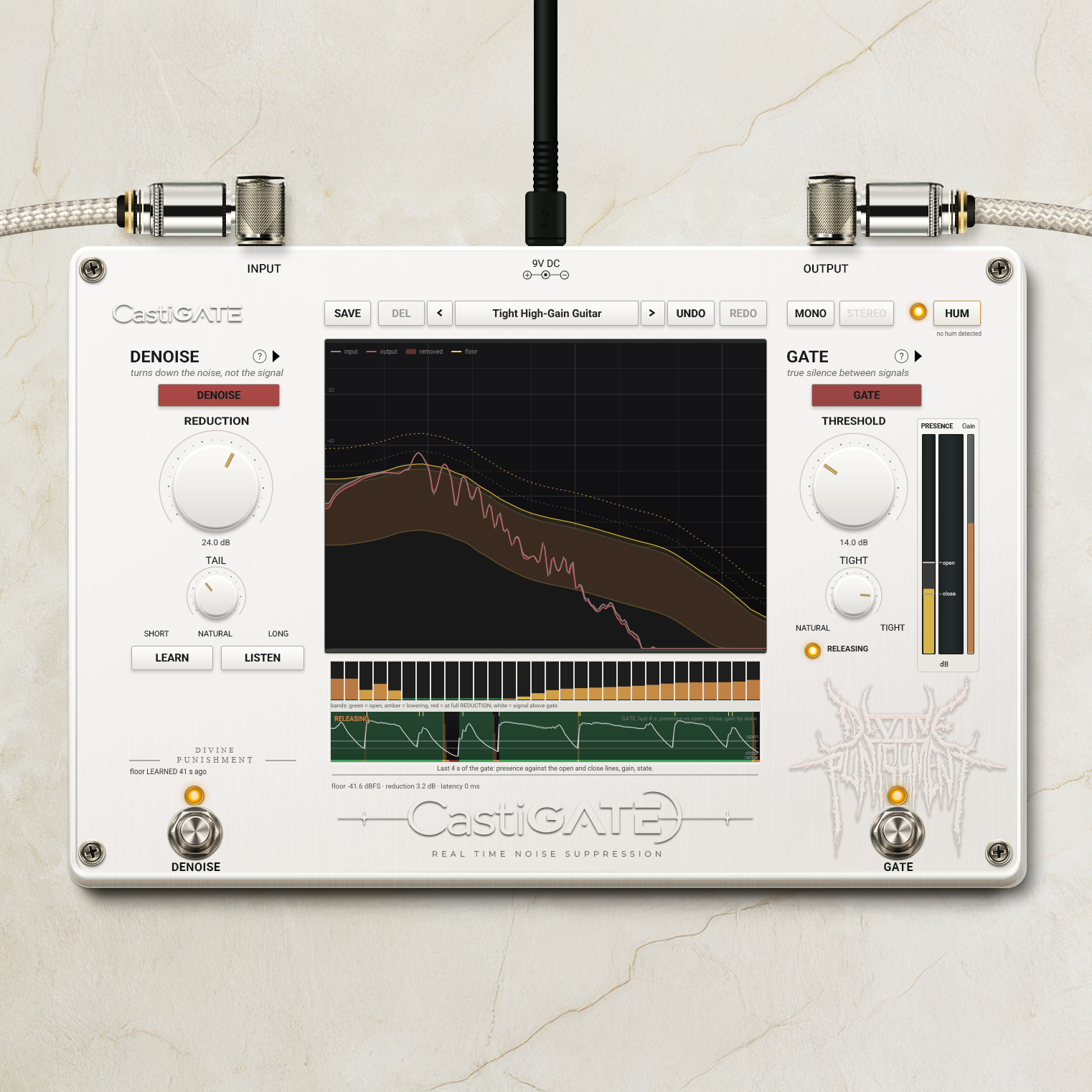

Hum, hiss, and the gaps between notes.

HUM

Turn down electrical buzz. Automatic 50 / 60 Hz detection helps castiGATE find the mains hum in your rig.

DENOISE

Reduce the hiss underneath a sustained note, where a gate alone cannot help.

GATE

Quiet the spaces between phrases. Choose a natural close or tighten things up for abrupt stops.

castiGATE interface
castiGATE

Let the note finish.

A held note and an empty gap deserve different treatment. Set castiGATE to let the tail breathe, then close at the pace the part needs.

Less chasing. More playing.

Learn your rig

Let AUTO follow the noise floor, or use LEARN to capture it deliberately. LOCK holds that learned setting when you want it to stay put.

Hear what comes out

Use LISTEN to check the signal being removed while you find the right amount of reduction.

Choose the stop

THRESHOLD sets when the gate opens. TIGHT takes the closing character from natural decay to a firmer stop.

Keep the useful bits

Switch HUM, DENOISE and GATE independently. Use the stages the recording actually needs.

A starting point for the part

Factory presets cover lead sustain, rhythm chugs, noisy pedalboards, bass DI and more. Save your own settings for the next session.

Room to experiment

Undo and redo your adjustments. Resize the interface and keep the controls comfortable to work with.

Before the gain gets hold of it.

Put castiGATE before your amp simulator to reduce the noise heading into distortion. It adds no latency of its own, so it can work while you play. Your audio interface and other plugins still determine the rest of the delay.

Your tone has the floor.

Let the lead ring. Stop the rhythm short. Set the gate for the performance, and leave less room for the noise.

Get castiGATE

Questions